Reverse Engineering 101; Hello World

This article discusses how to write and build x86 code applications, and to run. Also how to do the reverse - obtain the assembly code from the executable file.
We will use nasm and objdump for this process
I am using the Labs from the book
“X86-SOFTWARE-REVERSE-ENGINEERING-CRACKING-AND-COUNTER-MEASURES”
<h t t p s: / / g i t h u b . c o m / D a z z l e C a t D u o /X86-SOFTWARE-REVERSE-ENGINEERING-CRACKING-AND-COUNTER-MEASURES
The folder contains three files ;
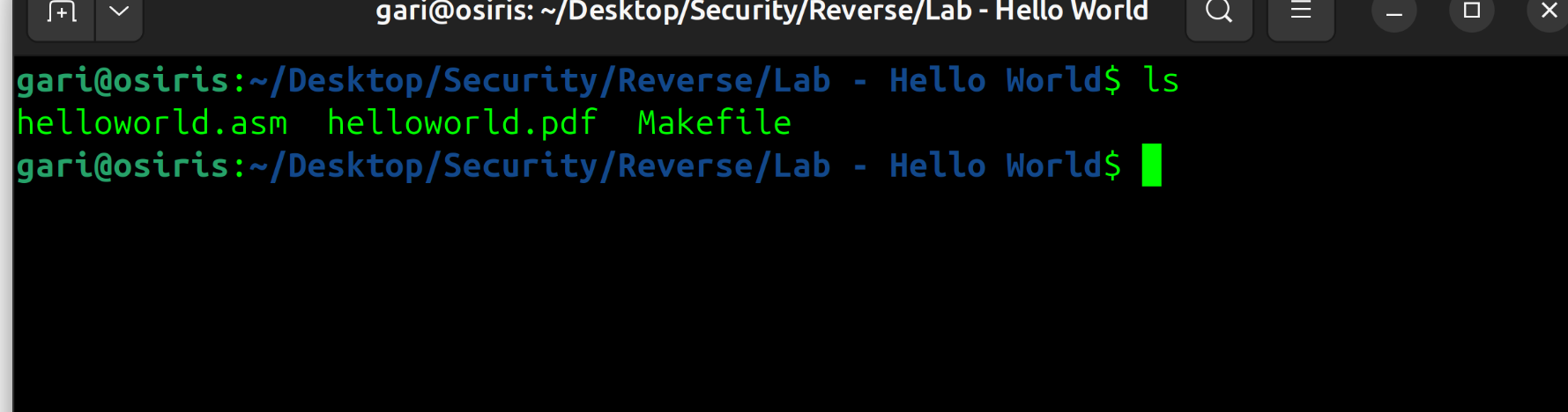
“helloworld.asm” contains the assembly instruction - that tell the OS to print a string to standard output.
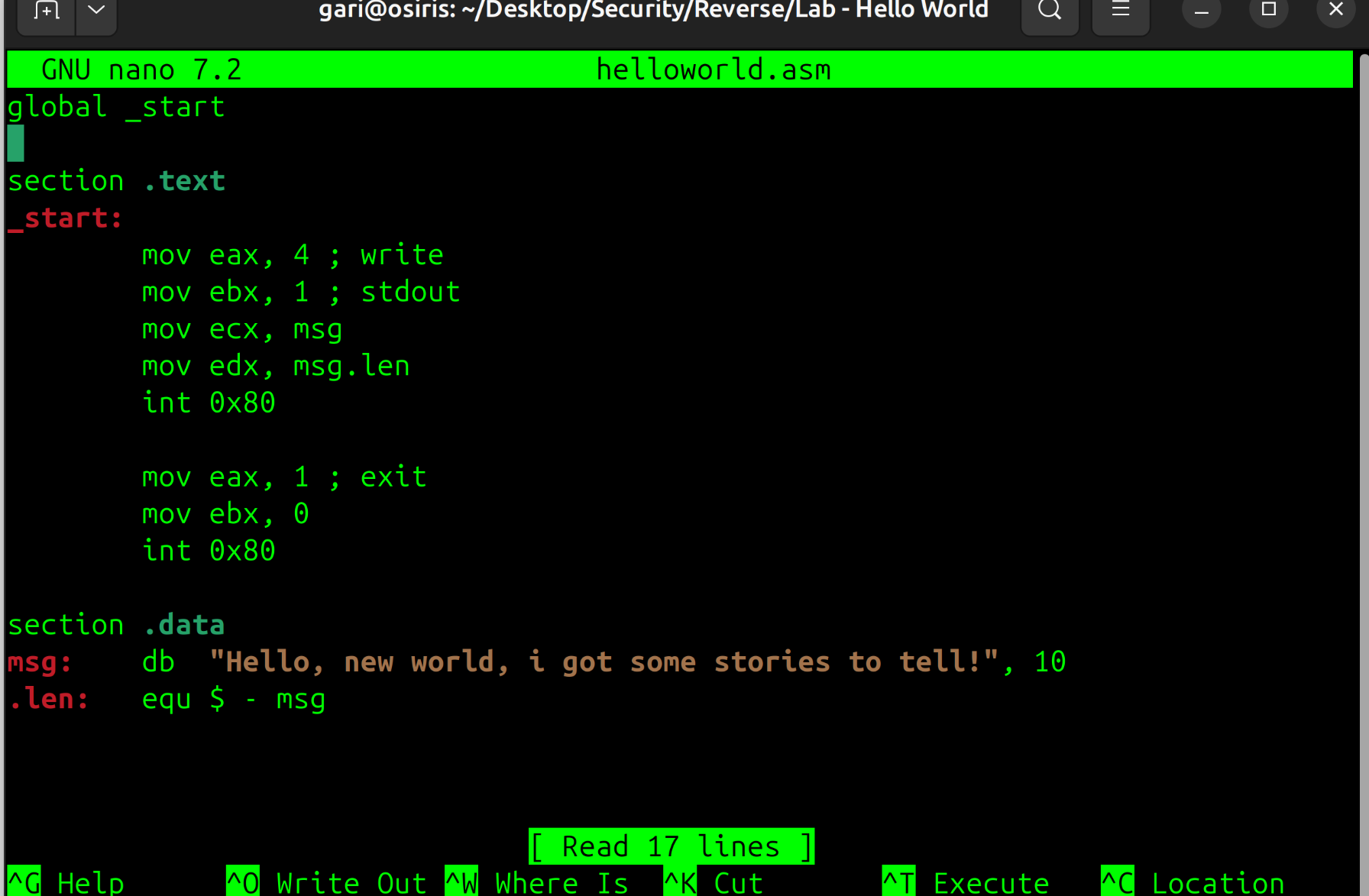
The program can be assembled, linked and executed using the following commands (in the same folder);
$ nasm -f elf program.asm
$ ld -melf_i386 program.o -o program.out
-f flag specifies the format, in this case elf - a linux executable file
-melf_i386 specifies the architecture to be used for linking and specifies that this should be an ELF binary using i386 (x86)
This creates an executable file helloworld.out
Run the file using the command;
./program.out

To reverse this process -obtain the assembly from the executable, you can use the objdump tool in the linux terminal using the following command.
$ objdump -d -Mintel helloworld.out
-d flag instructs to disassemble the contents of all sections
-Mintel specify Intel syntax
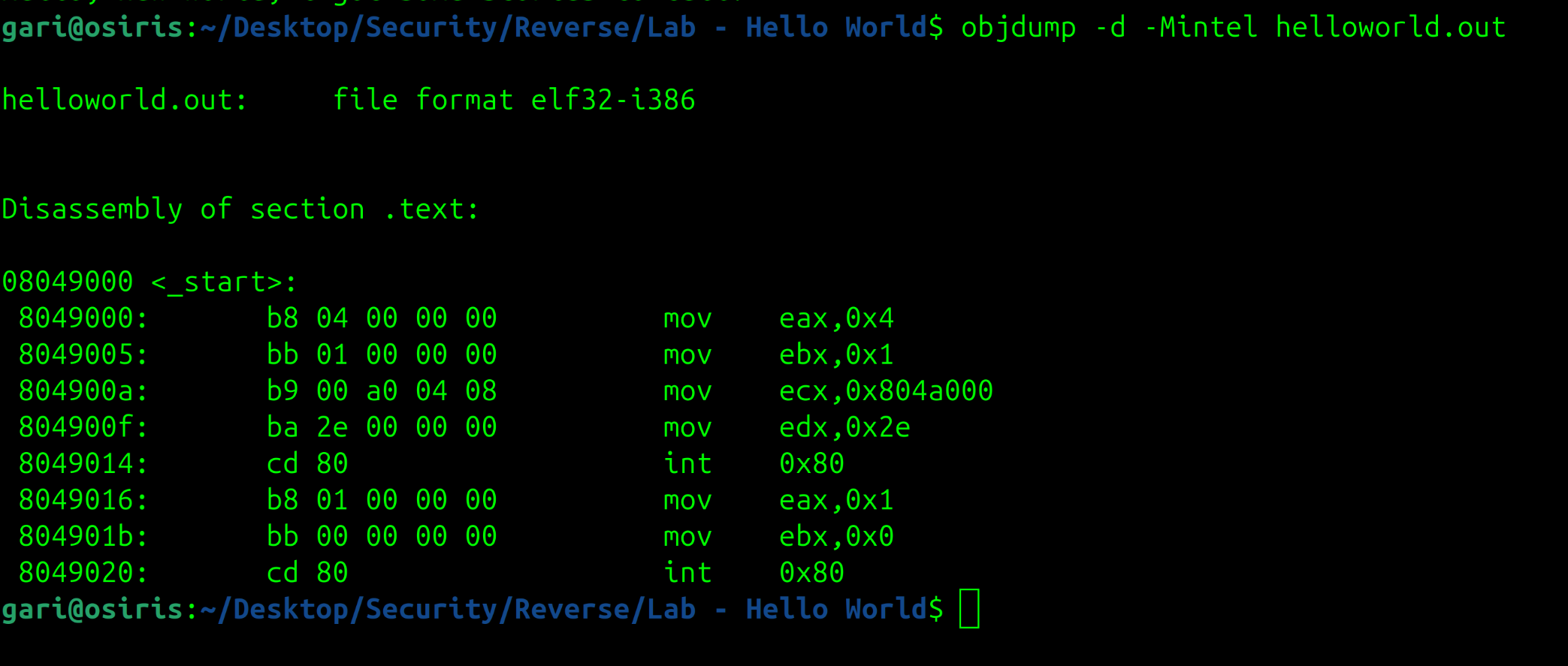
The commands outputs the assembly code. However since this is a lossy process, some of the original information, such as programmer annotation and other metadata are lost.
Reference
“x86 Software Reverse Engineering, Cracking and Counter Measures” by Stephanie and Christopher Domas